How It Works2026-07-11T11:28:57+00:00

How It Works

TimeOffLedger gets your team up and running in minutes — not days. Set up workplaces and employees, configure leave policies, and start managing leave, attendance, documents, and timesheets from one connected platform. From first request to final approval, every step is structured, automated, and easy to manage.

From Setup to Approval — It Just Works

TimeOffLedger replaces spreadsheet chaos with one clear workflow. Whether you manage a small team or multiple locations, the process stays simple: employees submit requests or check in, managers approve with full visibility, and HR works from records that stay in sync across leave, attendance, timesheets, and payroll prep.

5 Min

Quick Setup

100%

Real-Time Leave Visibility

0%

Manual Approval Hassles

your ideal recruitment agency

Works For You & Your Team

TimeOffLedger is not just a leave tool — it is a smarter way to manage team availability, attendance, and HR records in one place.

Clear Visibility

See who is off, who is checked in, and who is available — by team, department, or location. Managers plan coverage with confidence. Employees always know their balances and request status.

Stronger Communication

Automatic notifications keep employees, managers, and HR aligned. No lost emails, no chasing approvals, and no guessing whether a request was seen.

Replace Paperwork With Clarity

Instead of spreadsheets, email chains, and disconnected folders, TimeOffLedger gives you one secure platform for leave, attendance, employee records, compliance documents, timesheets, and payroll inputs.

Individual Calendars For Every Employee

Each team member gets a personal leave dashboard — past and upcoming absences, remaining allowance, and planned time off for this year or next.

Our team will work with you on Calendar integrations sync with Outlook, Gmail, and Apple Calendar so schedules stay connected everywhere.

Instant Email Notifications

No more lost forms or chasing approvals. Employees select dates and submit leave in seconds. Managers approve or decline with one click. TimeLog check-in and check-out updates attendance automatically. Everyone stays informed in real time.

Everything is visible at a glance

The Live Team Wallchart — With Smart Controls

Your interactive wallchart shows who is in, who is off, and who is pending approval — across teams and locations. Plan coverage during busy periods, avoid staffing clashes, monitor availability, and approve requests without switching tools.

No unnecessary complexity

Complete HR Management — All in One Place

Business owners and HR teams do not need another complicated tool. TimeOffLedger keeps core workflows connected without enterprise bloat.

Departments & Team Control

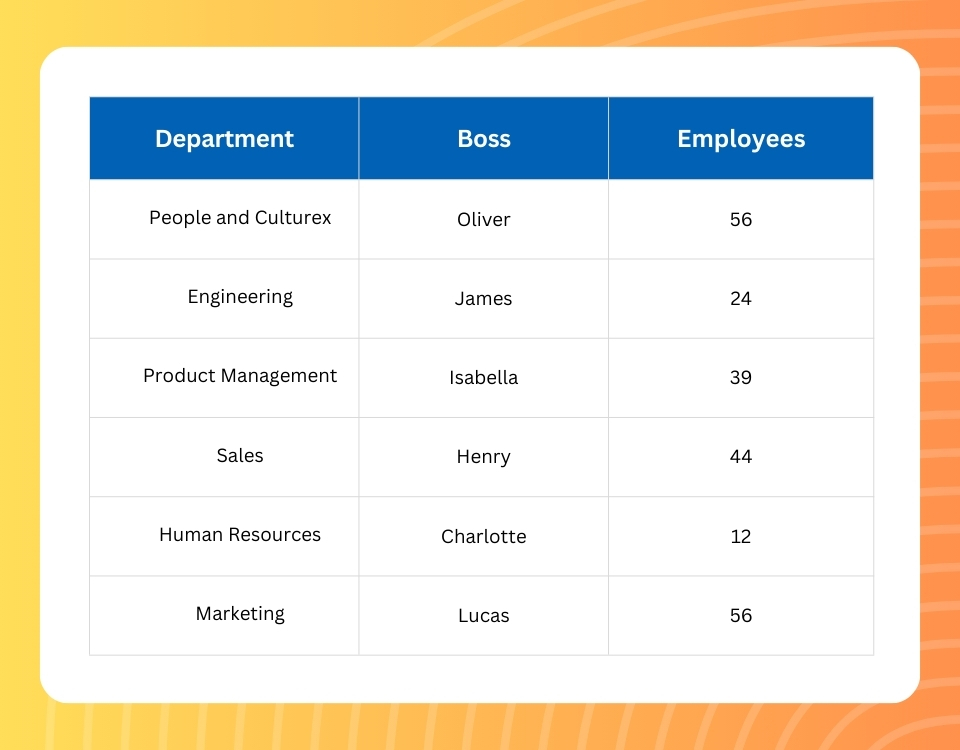
Organize staff into departments, assign managers, set minimum staffing levels, and prevent scheduling conflicts before approval.

Global Public Holidays

Support public holidays across 250+ countries and regions — ideal for remote, hybrid, and international teams.

Smart Work Schedules

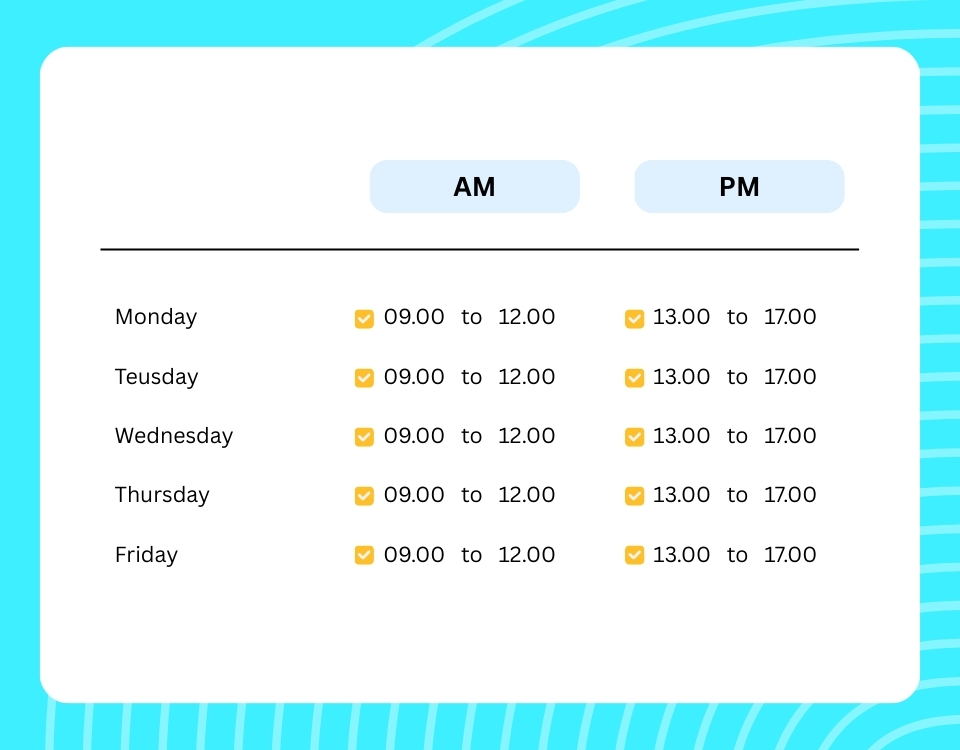
Assign structured work schedules with clear working hours and calendar visibility — so leave, attendance, and timesheets stay accurate.

column-style-04
Multiple Leave Types

Handle Every Absence Type — Including Custom Leave

Annual leave, sickness, unpaid time off, compassionate leave, and unlimited custom types — all tracked in one system.

Trust by leading organizations

“TimeOffLedger has completely simplified how we manage staff leave. Approvals are faster, visibility is clearer, and our HR team saves hours every month.”

Michael Turner, HR Director

“The platform is incredibly easy to use. Our employees love being able to request time off in seconds, and managers can approve without delays.”

Sarah Mitchell, Operations Manager

“For the price, it’s unbeatable. We moved away from spreadsheets and instantly gained better control over PTO tracking and reporting.”

Daniel Rodriguez, Finance Manager

know more about us

frequently asked questions

Who is TimeOffLedger for?2026-07-11T11:27:00+00:00

Growing businesses, HR teams, and operations managers who need reliable HR tools without enterprise complexity or pricing.

How can I contact support?2026-07-11T11:26:34+00:00

Email admin@timeoffledger.com, call +1 775 522 9719, or use our contact form. We respond within 2 hours during business hours.

Is there a free trial?2026-07-11T11:26:04+00:00

Yes — 30 days, full features, no credit card required. See pricing for details.

What roles and permissions are available?2026-07-11T11:25:44+00:00

Admin (full control), Manager (approve team leave and timesheets), and Standard User (request leave, check in/out, view personal records).

What leave types are supported?2026-07-11T11:25:26+00:00

Annual leave, sick leave, unpaid leave, emergency leave, unlimited PTO, and any custom type you define — with accrual, carry-forward, and per-day limits.

Can TimeOffLedger handle multiple locations?2026-07-11T11:24:48+00:00

Yes. Create multiple workplaces, assign location-based public holidays, and manage employees across regions.

Does attendance connect to timesheets and payroll?2026-07-11T11:24:26+00:00

Yes. TimeLog check-in/check-out data feeds timesheets. Approved leave and hours flow into payroll preparation — no re-entering data in spreadsheets.

How does the team wallchart help managers?2026-07-11T11:24:09+00:00

It shows approved, pending, and upcoming absences in one visual view — so managers plan coverage before conflicts or deadlines arise.

How does the approval workflow work?2026-07-11T11:23:51+00:00

Employees submit leave or check in/out via TimeLog. Managers review and approve with one click. Balances, attendance, and records update automatically.

How long does setup take?2026-07-11T11:23:33+00:00

Most teams add workplaces, departments, employees, and leave policies in minutes. No complex enterprise onboarding.

What is TimeOffLedger?2026-07-11T11:22:32+00:00

TimeOffLedger is all-in-one HR software for leave management, attendance tracking (TimeLog), employee records, compliance documents, payroll preparation, and timesheets — from one connected system.

Go to Top